


 Contact Us


 Other Insurance
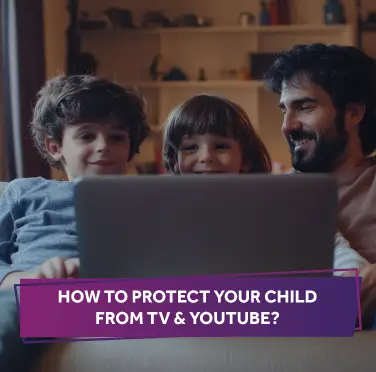
How to Protect Your Child from TV & YouTube?
Date: Oct 16, 2024 - Last Modified Mar 23, 2026


With the growing influence of digital media, children spend more time in front of screens. While TV and YouTube can be valuable resources for learning and fun, they also come with challenges. Ensuring your child’s online safety requires understanding these challenges and implementing strategies to protect them. This guide will provide practical advice for kids on managing screen time and securing their digital environment.
Common Online Dangers for Kids and How to Protect Them
The internet is a vast space with countless opportunities for learning and entertainment. However, it also leads to several risks to children. Here’s a look at common online dangers and tips on how to protect your child:
Exposure to Inappropriate Content
Kids can accidentally stumble upon inappropriate content unsuitable for their age. This could include explicit videos, harmful websites, or adult themes.
Parental Tips:
- Use parental controls and content filters on both TVs and devices.
- Regularly review and adjust the settings to align with your family’s values.
- Discuss with your child what content is appropriate and why.
Online Predators
Online predators often use social media, gaming platforms, and other online forums to connect with children and exploit them.
Parental Tips:
- Keep communication open with your child about their online interactions.
- Encourage them to report any suspicious messages or contact to you immediately.
- Teach them not to share personal information online, such as their address or school name.
Cyberbullying
Cyberbullying can occur through social media, messaging apps, or online games. It can significantly impact a child’s mental health and well-being.
Parental Tips:
- Monitor your child’s online interactions and be aware of any signs of distress.
- Create an open environment where your child feels comfortable discussing negative online experiences.
- Teach them how to block or report bullies on diverse platforms.
Excessive Screen Time
Extended screen time can lead to health issues like eye strain, poor posture, and disrupted sleep patterns. It can also impact academic performance and physical activity levels.
Parental Tips:
- Establish clear rules for screen time usage and stick to them.
- Encourage physical activities and offline hobbies to balance screen time.
- Use apps or built-in device attributes to monitor and limit screen time.
Recommended Screen Time Limits for Children
Determining appropriate screen time for kids is crucial for their overall health and development. Here are some guidelines to consider:
For Toddlers (Ages 2-5)
- Limit screen time to one hour per day. Focus on high-quality educational content and co-viewing to enhance learning.
For Children (Ages 6-12)
- Point for no more than two hours of recreational screen time each day. Ensure that this time does not interfere with sleep, physical activity, and other healthy behaviours.
For Teenagers (Ages 13-18)
- Encourage a balanced approach. While screen time may increase due to social media and schoolwork, ensure it doesn’t exceed two hours of recreational use daily. Promote healthy screen habits and set boundaries for online activities.
Safety Settings and Features on YouTube
YouTube is a popular platform for kids but requires careful management to ensure a safe viewing experience. Here’s how to make YouTube safer for your child:
Use YouTube Kids
YouTube Kids is designed for children and offers a more controlled environment with appropriate content for various age groups. It includes features such as:
- Content Filters: Allows parents to select the type of content their child can watch.
- Parental Controls: You can set limits on screen time and block specific channels or videos.
Enable Restricted Mode
On the regular YouTube app, enable Restricted Mode to filter out content that may not be suitable for children. This setting helps hide videos that have been flagged for inappropriate content.
Monitor Viewing History
Frequently check your child’s viewing history to see what they have been watching. This helps ensure they engage with appropriate content and allows you to address any concerns.
Set Up Account Restrictions
Older children with YouTube accounts use account restrictions to control their interaction with content and other users. This includes setting up privacy and controlling who can comment on their videos.
Conclusion
Ensuring your child's cyber safety involves being proactive and informed about the potential risks associated with TV and online platforms like YouTube. By understanding common online dangers, setting appropriate screen time limits, and using safety features effectively, you can help create a secure digital environment for your child. Remember, open communication and involvement in their online activities are vital to keeping them safe and healthy in the digital age. Stay vigilant, stay engaged, and support your child in navigating the online world safely.
Disclaimer: The above information is indicative in nature. For more details on the risk factor, terms and conditions, please refer to the Sales Brochure and Policy Wordings carefully before concluding a sale.
This blog is intended solely for educational and informational purposes. Content reflects data at time of publication and may not accurately reflect current premiums, terms, or regulations. Readers are encouraged to confirm the accuracy and relevance of the data before making any significant decisions. SBI General Insurance disclaims responsibility for any errors or consequences arising from the use of outdated information provided herein. For more details, please refer to the policy wordings and prospectus before concluding the sales. *Add-ons are subject to payment of additional premium.
Access and manage all your Insurance Needs in one place, right at your Fingertips.



4/5*
Access and manage all your Insurance Needs in one place, right at your Fingertips.


Vision
Our vision is to become the most trusted general insurer for a transforming India.
Mission
Our mission is to provide simple and innovative general insurance solutions, be responsive to our customers' needs and build a sustainable business for the future.
We're socially active!