


 Contact Us


 Other Insurance
How to Check Vehicle Owner Details by Number Plate in Goa

Date: Jul 27, 2026 - Last Modified Jul 28, 2026


Buying a used car or bike can be exciting, but it also comes with a few uncertainties. Before you make a purchase, it's important to verify the vehicle's details and ensure that the documents are genuine. Fortunately, official government portals make it easy to access key vehicle information online.
This guide explains how you can check vehicle details in Goa using official channels, helping you make a more informed purchase decision.
What Information Can You Find from a Goa Vehicle Number Plate?
By using the official VAHAN database, you can quickly access registered vehicle details and verify the authenticity of a car or bike before proceeding with the purchase or ownership transfer.
Details That Are Publicly Accessible
When you perform a routine search, you can access information such as the vehicle registration status, registration validity, partially masked engine and chassis numbers, fuel type, vehicle class, and emission norms. The search also displays the vehicle ownership status, such as whether the vehicle is owned by its first or subsequent owner, helping you verify important details before buying or transferring ownership.
Details That Are Restricted or Not Visible Online
To protect user privacy, registered owner information such as the owner's name, address, phone number, Aadhaar details, and other personal information is not displayed online under MoRTH guidelines.
How to Check Vehicle Owner Details Online in Goa via the Parivahan Sewa Website?
You can check basic vehicle details online through the VAHAN service available on the Parivahan Sewa portal.
Visit the official Parivahan Sewa website and open the "Know Your Vehicle Details" service.
Sign in with your registered account. If you're a new user, create an account using your mobile number and complete the OTP verification.
Enter the vehicle registration number exactly as it appears, without any spaces.
Complete the CAPTCHA verification.
Click "Vahan Search" or "Search Vehicle" to view the available vehicle details.
The portal will display publicly available information such as the vehicle's registration status, registration date, fuel type, vehicle class, and other permitted Goa RC details. Personal information about the registered owner is not displayed to protect privacy.
How to Find Vehicle Owner by Number Plate in Goa Via mParivahan App?
If you want to verify a vehicle's details while you're on the go, the mParivahan app offers a quick and convenient way to access publicly available vehicle information.
Download the mParivahan app from the Google Play Store or Apple App Store.
Log in using your registered mobile number.
Open the RC section and enter the vehicle registration number.
Submit the details to view the available vehicle information.
The app displays publicly accessible details such as the vehicle registration status, registration validity, fitness validity (where applicable), tax details, fuel type, and other available RC information.
Important Things to Check Before Buying a Used Vehicle in Goa
Before finalising the purchase, it's a good idea to verify the available Goa vehicle details by number plate. A few simple checks can help you identify potential issues and make a more informed decision.
Verify the Owner's Details
Compare the name available under the ownership information with the identification documents shared by the seller. If the details don't match, ask for clarification before proceeding. This can help avoid issues related to incomplete or pending ownership transfer records.
Check for Active Loan or Hypothecation
Review the Goa RC details to see if the vehicle is marked as "Hypothecated." If it is, the seller should obtain a No Objection Certificate (NOC) from the financing institution before the ownership transfer can be completed.
Confirm Insurance and PUC Validity
Check whether the vehicle's insurance policy and Pollution Under Control (PUC) certificate are valid. Keeping these documents up to date helps ensure legal compliance and can save you from unnecessary inconvenience after the purchase.
State-Specific Number Plate Format in Goa: Decoding the RTO Code
Each RTO in Goa is identified by a unique registration code that begins with "GA". The code on a vehicle's number plate indicates the Regional Transport Office (RTO) where it was registered.
Some major Goa RTO codes are listed below:
RTO Code | RTO Office |
GA-01 | Panaji |
GA-02 | Margao |
GA-03 | Mapusa |
GA-04 | Bicholim |
GA-05 | Ponda |
GA-06 | Vasco da Gama |
GA-07 | Panaji |
GA-08 | Margao |
GA-09 | Quepem |
GA-10 | Canacona |
GA-11 | Pernem |
GA-12 | Dharbandora |
Is It Legal to Check Someone's Vehicle Details by Number Plate in Goa?
The government actually built the VAHAN platform specifically to give people clear, open access to vehicle owner information in Goa. Because the database automatically hides private details like home addresses and phone numbers, it keeps things safe while remaining transparent. In fact, checking the platform to verify that a registration certificate is completely legitimate before you buy a vehicle is highly recommended.
Protect Your Vehicle in Goa: Motor Insurance from SBI General
Whether you're buying a new vehicle or a pre-owned one, having the right motor insurance is essential for financial protection and legal compliance. SBI General Insurance offers car insurance and bike insurance plans designed to protect you against unexpected events such as accidents, theft, natural calamities, and third-party liabilities.
You can also buy or renew your policy online, customise your coverage with optional covers, and benefit from cashless repairs at 8700+ network garages, a presence across 140+ locations, and dedicated 24/7 customer support. Browse through the plans now!
Conclusion
Taking a few minutes to check vehicle owner details by number plate in Goa can help you verify important information before purchasing a used vehicle. Checking the available details through the official VAHAN or Parivahan portal allows you to confirm the vehicle's registration status and identify potential issues before completing the ownership transfer.
Note: The given information has been compiled from digitally available resources and is indicative in nature. It is subject to change due to several factors. Individuals are advised to verify information with their nearest RTO before proceeding.
FAQs
1. What if the details on VAHAN don't match the physical RC?
If the information shown on the VAHAN portal differs from the details on the physical Registration Certificate (RC), do not proceed with the purchase immediately. Ask the seller to clarify the discrepancy and update the records through the concerned RTO before completing the transaction.
2. How do I check pending e-challans for a vehicle in Goa?
You can check pending e-challans through the official Parivahan E-Challan portal or the mParivahan app. Simply enter the vehicle registration number and the required details, such as the last few digits of the chassis or engine number, to view any outstanding traffic fines.
3. Can I check if a Goa vehicle has an active loan or hypothecation?
Yes. The VAHAN and mParivahan platforms may display the vehicle's hypothecation status. If the vehicle is hypothecated, it generally means it is financed by a bank or financial institution. Before purchasing the vehicle, ensure the seller has cleared the loan and obtained the necessary No Objection Certificate (NOC), if applicable.
4. How do I verify if a vehicle in Goa has been reported stolen?
While VAHAN provides important vehicle owner details online, it may not always indicate whether a vehicle has been reported stolen. For additional verification, you can check with the local police authorities or use the National Crime Records Bureau (NCRB) services, where available, before finalising the purchase.
5. Why does VAHAN show "Record Not Found" for a newly registered vehicle?
Newly registered vehicles may not appear immediately on the VAHAN portal because it can take some time for the records to be updated. If you encounter this message, wait for a few days and check again, or contact the concerned RTO for confirmation.
6. Can I check details of an out-of-state vehicle in Goa?
Yes. The VAHAN database covers vehicle registration records from most states and Union Territories. By entering the vehicle registration number, you can access the available public information for out-of-state vehicles as well.
This blog is intended solely for educational and informational purposes. Content reflects data at time of publication and may not accurately reflect current premiums, terms, or regulations. Readers are encouraged to confirm the accuracy and relevance of the data before making any significant decisions. SBI General Insurance disclaims responsibility for any errors or consequences arising from the use of outdated information provided herein. For more details, please refer to the policy wordings and prospectus before concluding the sales. *Add-ons are subject to payment of additional premium.
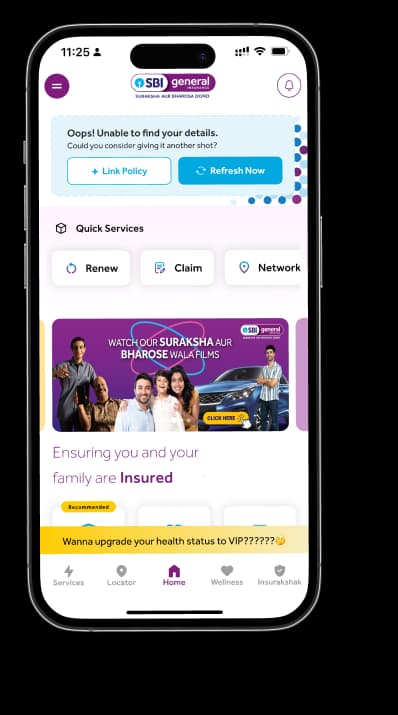
Access and manage all your Insurance Needs in one place, right at your Fingertips.



4/5*
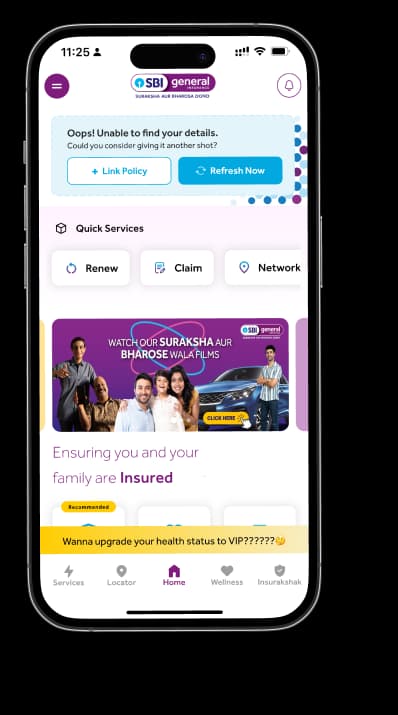
Access and manage all your Insurance Needs in one place, right at your Fingertips.


Vision
Our vision is to become the most trusted general insurer for a transforming India.
Mission
Our mission is to provide simple and innovative general insurance solutions, be responsive to our customers' needs and build a sustainable business for the future.
We're socially active!