


 Contact Us


 Other Insurance
How to Check Bike Insurance Expiry Date Online

Date: Nov 27, 2021 - Last Modified Sep 15, 2026


You can check your bike insurance expiry date online by entering your vehicle registration number on official platforms such as Parivahan or VAHAN. After entering the details, the portal displays your policy validity, insurer details and renewal status. Regular check-ups help you avoid fines, prevent accidental policy lapses and ensure the continuity of your bike insurance.
Understanding Bike Insurance Expiry
Bike insurance is something many riders tend to forget about until the renewal date is very close. In some cases, people only realise their policy has expired during a traffic check or after an accident, when they are no longer covered.
Checking your bike insurance expiry date online is a quick and convenient way to make sure your policy is still active. In just a few minutes, you can access your insurance details through your insurer’s website, the VAHAN portal, Parivahan Sewa or mobile apps. Learning how to check two-wheeler insurance validity regularly can help you avoid last-minute renewals, unexpected fines and the risk of riding with expired coverage.
How To Check Two-Wheeler Insurance Validity Online?
Checking your bike insurance status online is simple. You can verify your policy details through your insurer’s website, mobile app or government portals like VAHAN and Parivahan Sewa.
Follow these simple steps to check your bike insurance validity online:
- Keep your vehicle registration number, policy number or registered mobile number ready.
- Visit the insurer’s website, mobile app or an official government portal.
- Enter the required details for verification.
- View policy information such as insurer name, policy validity and renewal date.
- Check your insurance status regularly to avoid policy lapses and maintain continuous coverage.
For detailed steps, read our guide on how to check bike insurance validity online.
Methods to Check Two-wheeler Validity & Expiry Date Instantly
There are multiple ways to check your bike insurance validity and bike insurance policy details online.
1. Through the Insurer’s Website
Most insurers allow policyholders to check insurance details online.
Visit your insurer’s official website.
Go to the “Policy Status” or “Download Policy” section.
Enter details such as your policy number, bike registration number or mobile number.
View your policy validity and renewal details.
If you are an SBI General Insurance policyholder, you can easily check your policy details through the company’s official website or the SBI General Insurance Mobile App.
2. Through the VAHAN Portal
The VAHAN portal is one of the easiest ways to check your bike insurance details online, especially if you do not have your policy document handy. Since it maintains vehicle and insurance records from across India, many riders use it to quickly verify their policy status.
Visit the official VAHAN website.b
Click on the “Know Your Vehicle Details” section.
Enter your bike registration number along with the captcha code.
Your insurance validity and other vehicle details will appear on the screen within seconds.
This method is useful if you do not remember your policy number or insurer.
3. Using the mParivahan App
The mParivahan app makes it easy to keep your vehicle documents handy on your phone instead of carrying physical copies everywhere.
Download the mParivahan app.
Sign up using your mobile number.
Add your bike registration number.
View your insurance validity and other vehicle details anytime.
A lot of riders prefer using the app while travelling because it gives them quick access to important documents whenever needed.
4. Through Customer Support
If you are unable to find the details online, you can contact your insurer’s customer support team for assistance.
How to Renew Bike Insurance Online?
Once you know how to check bike insurance online, you can proceed with renewing bike insurance online as well, as per one’s preference.
1. Visit your insurer’s official website and enter your policy number or vehicle details.
2. Review your existing coverage and compare available renewal plans.
3. Choose additional add-ons if you want extra protection for your bike.
4. Check the premium amount and complete the payment online.
5. Once the payment is successful, the renewed policy document will be shared via email or SMS.
Make sure to renew your policy before expiry, as a lapsed policy may interrupt coverage and affect benefits like the No Claim Bonus (NCB).
Common Issues While Checking Insurance Status
While checking bike insurance status online, riders may sometimes face a few common issues. These may include incorrect details, technical delays or outdated records. Some common problems include:
- Entering the wrong registration number or mobile number
- Temporary website or portal loading issues
Delay in updated policy details reflecting after renewal - Mismatch between displayed information and actual policy records
- Using unofficial websites or unverified apps
If the information appears incorrect, it is best to contact the insurer directly for verification.
What Happens If Your Bike Insurance Expires?
If your bike insurance expires, you may no longer be financially protected against accidents, theft or third-party liabilities. Riding without valid insurance is also considered a legal offence under the Motor Vehicles Act, 1988, and may lead to penalties.
An expired policy can also affect your No Claim Bonus benefits if renewal is delayed for too long. This is why regular checks and timely renewal are important.
Tips to Avoid Missing Expiry Date
- Set a reminder on your phone or email well before the renewal date arrives.
- Try renewing your policy a few days before the renewal date to avoid last-minute hassles.
- Keep soft copies of your insurance documents ready for quick access when needed.
- Regularly check your policy validity through official platforms.
- Make sure your insurer has your latest mobile number and email details.
Conclusion
Checking your bike insurance expiry date online is a simple habit that can save you from penalties, claim issues and unnecessary financial risk. Whether you use your insurer’s website, VAHAN or mParivahan, staying updated about your policy validity helps ensure uninterrupted protection on the road.
Along with checking your bike insurance validity regularly, having the right coverage in place can give you greater peace of mind on the road. SBI General Insurance offers two-wheeler insurance plans that help riders stay protected against unexpected situations and financial liabilities.
Frequently Asked Questions
1. How to check if insurance has expired?
You can check your insurance expiry date through your insurer’s website, VAHAN portal or mParivahan app using your vehicle registration number.
2. How do I check if my bike is insured online?
Visit an official platform such as VAHAN or your insurer’s website and enter your bike registration details to verify insurance status.
3. How to find bike insurance copy online?
Most insurers allow you to download a digital copy of your bike insurance policy through their website or mobile app.
4. How do I check my vehicle insurance validity online?
You can check insurance validity online through insurer portals, VAHAN, Parivahan Sewa or the mParivahan app.
This blog is intended solely for educational and informational purposes. Content reflects data at time of publication and may not accurately reflect current premiums, terms, or regulations. Readers are encouraged to confirm the accuracy and relevance of the data before making any significant decisions. SBI General Insurance disclaims responsibility for any errors or consequences arising from the use of outdated information provided herein. For more details, please refer to the policy wordings and prospectus before concluding the sales. *Add-ons are subject to payment of additional premium.
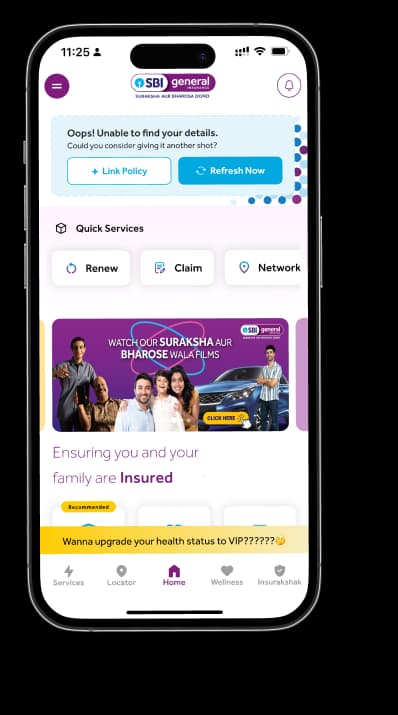
Access and manage all your Insurance Needs in one place, right at your Fingertips.



4/5*
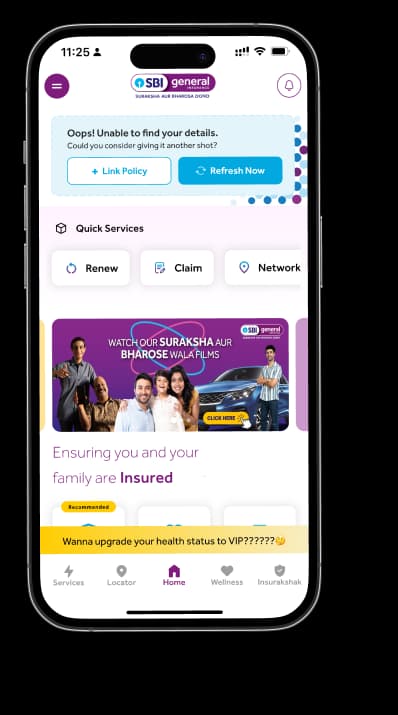
Access and manage all your Insurance Needs in one place, right at your Fingertips.


Vision
Our vision is to become the most trusted general insurer for a transforming India.
Mission
Our mission is to provide simple and innovative general insurance solutions, be responsive to our customers' needs and build a sustainable business for the future.
We're socially active!