


 Contact Us


 Other Insurance
How to Check Vehicle Owner Details by Number Plate in Andhra Pradesh

Date: Jul 17, 2026 - Last Modified Jul 28, 2026


Before buying a second-hand vehicle, it is important to make sure all the records are in order. You can quickly check vehicle owner details using official services such as mParivahan or the VAHAN website. A vehicle owner details by number plate search lets you verify important registration information while keeping sensitive personal details protected in accordance with privacy regulations.
What Information Can You Find from an Andhra Pradesh Vehicle Number Plate?
Using authorised platforms to check vehicle details is a quick and reliable way to verify its registration history before buying a used vehicle or reviewing your own records.
Details That Are Publicly Accessible
When you enter a vehicle's registration number on an approved platform, you can access the official RTO vehicle information. This typically includes details such as:
The vehicle model
Fuel type
Insurance validity
Whether there's an active loan against the vehicle
The information is sourced from the VAHAN database, which is managed by the Ministry of Road Transport and Highways (MoRTH).
Details That Are Restricted or Not Visible Online
When you look for vehicle owner details online, you won't be able to access sensitive personal information. Details such as the owner's home address, phone number, and identity documents are not displayed to protect privacy.
How to Check Vehicle Owner Details Online in Andhra Pradesh via the Parivahan Sewa Website?
The Ministry of Road Transport and Highways maintains a central database called VAHAN, making it easy to check vehicle owner details using the vehicle's registration number.
To access the records:
Visit the official Parivahan Sewa website or VAHAN portal.
Open the vehicle-related services section.
Enter the car registration number exactly as it appears on the number plate.
Complete the CAPTCHA verification.
Submit the request to view the available records.
The portal retrieves vehicle registration details from Andhra Pradesh from the central VAHAN database, which is updated using information provided by the state's RTOs.
Taking a few minutes to check the vehicle owner's details can help you identify discrepancies and avoid documentation issues during the ownership transfer.
Since VAHAN is maintained using official government records, it remains one of the most reliable sources for RTO vehicle information and ownership verification.
How to Find Vehicle Owner by Number Plate in Andhra Pradesh via the mParivahan App?
The mParivahan app offers another convenient way to check vehicle owner details directly from your smartphone.
Follow these steps:
Download the mParivahan app from the Google Play Store or Apple App Store.
Register using your mobile number and log in to the app.
Enter the vehicle registration number to access the available records.
View details such as Andhra Pradesh vehicle owner details, insurance validity, registration validity, fuel type, etc.
Important Things to Check Before Buying a Used Vehicle in Andhra Pradesh
A used vehicle may look well-maintained, but it's always worth verifying the paperwork before making the payment.
Verify that the Owner's Name Matches the Seller
You should always check the vehicle owner's details before making a deal. Just pull up VAHAN or mParivahan and cross-check their papers with the official registration certificate.
Check for Active Loans or Hypothecation
Most cars and bikes are bought on loans. Before closing the deal, use the vehicle details by number to check if the bank still holds hypothecation against it.
Confirm Insurance Validity and PUC Status
Driving a vehicle without active car insurance is unsafe and may lead to penalties. Before you finalise ownership, review the insurance, PUC, tax, and registration papers. If the policy has lapsed, ensure you have a valid third-party insurance policy sorted out first. It ensures compliance and protects you from unexpected expenses.
Is It Legal to Check Someone's Vehicle Details by Number Plate in Andhra Pradesh?
Yes, it’s completely legal to check vehicle details using VAHAN or the mParivahan app. It is an effective way to verify a used car or bike before you buy it, though the system hides personal info to protect privacy.
Protect Your Vehicle in Andhra Pradesh: Motor Insurance from SBI General Insurance
Checking car owner details and registration records is an important step when buying a used vehicle. Once the ownership transfer is complete, remember to transfer the insurance policy to your name and keep it active with a timely car insurance renewal.
With SBI General Insurance, you can choose comprehensive motor insurance backed by 8700+ network garages, a presence across 140+ locations, a smooth claims process, quick claim approvals, and reliable 24x7 customer support. Along with verifying your RTO vehicle information, having the right insurance cover helps you stay financially protected and drive with greater confidence.
Conclusion
Purchasing or selling a vehicle is an important transaction, and it is essential not to overlook the fundamental checks involved. Taking just a few minutes to check vehicle owner details online via a VAHAN verification is a simple and effective way to ensure that all documentation is accurate.
Note: The given information has been compiled from digitally available resources and is indicative in nature. It is subject to change due to several factors. Individuals are advised to verify information with their nearest RTO before proceeding.
FAQs
1. What if the details on VAHAN don't match the physical RC?
Sometimes there is a tiny delay before recent updates show up in the central database, which can cause minor mismatches. If the issue doesn't clear up on its own, you can take your RC and supporting paperwork to the local AP RTO to resolve the issue.
2. How do I check pending e-challans for a vehicle in Andhra Pradesh?
Simply visit the official Parivahan eChallan portal or the AP Traffic Police website and type in your registration number. You should be able to see a list of any pending challans linked to your vehicle.
3. Can I check if an Andhra Pradesh vehicle has an active loan or hypothecation?
Yes. When reviewing vehicle details by number, you may also find hypothecation information if it is available in the VAHAN database. If the vehicle was financed, ask the seller for a No Objection Certificate (NOC) after the loan has been cleared.
4. How do I verify if a vehicle in Andhra Pradesh has been reported stolen?
You can also verify the vehicle's history through local police stations or authorised police verification portals. Always double-check that the registration certificate and chassis number match what's on the official records before making any financial transactions.
5. Why does VAHAN show "Record Not Found" for a newly registered vehicle?
New registrations may take a few days to appear in the VAHAN database. If the record is still unavailable after a reasonable period, contact the registering Andhra Pradesh RTO for assistance.
6. Can I check the details of an out-of-state vehicle spotted in Andhra Pradesh?
Yes. Because VAHAN is a centralised countrywide database, it works for vehicles registered in other states as well. All you need is the plate number, keeping in mind that some information might be hidden due to privacy guidelines.
This blog is intended solely for educational and informational purposes. Content reflects data at time of publication and may not accurately reflect current premiums, terms, or regulations. Readers are encouraged to confirm the accuracy and relevance of the data before making any significant decisions. SBI General Insurance disclaims responsibility for any errors or consequences arising from the use of outdated information provided herein. For more details, please refer to the policy wordings and prospectus before concluding the sales. *Add-ons are subject to payment of additional premium.
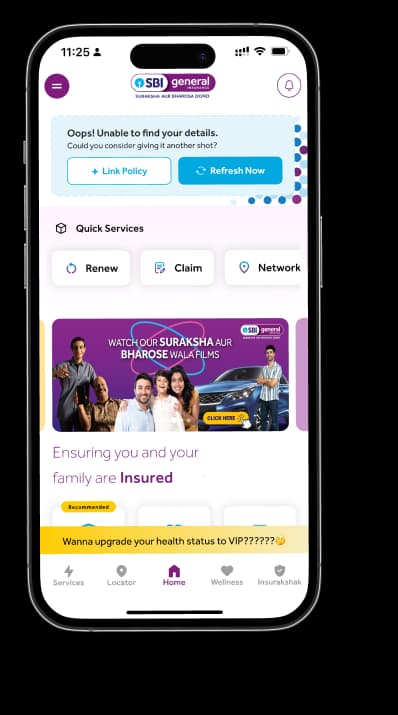
Access and manage all your Insurance Needs in one place, right at your Fingertips.



4/5*
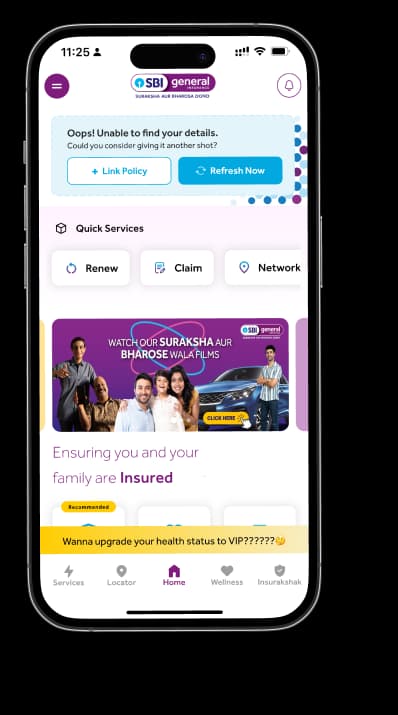
Access and manage all your Insurance Needs in one place, right at your Fingertips.


Vision
Our vision is to become the most trusted general insurer for a transforming India.
Mission
Our mission is to provide simple and innovative general insurance solutions, be responsive to our customers' needs and build a sustainable business for the future.
We're socially active!