


 Contact Us


 Other Insurance
How to Check Car Insurance Policy Status Online?
Date: May 6, 2024 - Last Modified Jul 10, 2026


This article explains the importance of checking your car insurance policy details online, and what information is included in it. It also outlines the process to do it, and the different methods available for it, like insurer websites, the VAHAN portal, and more. It also highlights how much of the vehicle is covered under the policy and how to renew it if the policy has expired.
What Is the Importance of Checking Vehicle Insurance Online?
It is necessary to stay up-to-date on the insurance status of your four-wheeler, as it is illegal to drive a car without active insurance as per the Motor Vehicles Act. Performing a car insurance online check can be crucial for several reasons. Here are the two most important ones:
- Avoiding Missed Deadlines: You will never miss your policy renewal deadline if you know how to check your car insurance policy status online. This helps maintain your credibility and reduces the chances of a claim rejection due to delayed or missed payments.
Updated Information: You can avoid potential legal and financial problems that may arise by driving a vehicle without active or updated insurance details.
How to Check Car Insurance Validity?
With most official processes being digitised, you can easily check your insurance details online. There are mainly two ways through which you can check the car insurance status online:
1. Government Portals and Mobile Applications
Official websites and mobile applications launched by the government of India make it easy to avail numerous services online from the comfort of your home. These include the Parivahan Sewa portal or the mParivahan app. You can use your vehicle’s registration number to retrieve your policy information.
2. Insurance Provider’s Website and Mobile Application
Another alternative to check your insurance status online is to go to your insurance provider’s website to check for relevant details. Some insurance providers also provide a mobile app for their customers to access policy related information. You may require your policy number, vehicle registration number, mobile number, and other details to access your motor insurance policy information through the insurer’s website.
What Is the Process to Check Car Insurance Status Online on Parivahan Sewa?
Here is a step-by-step guide on how to check your four-wheeler insurance status online through the Parivahan Sewa portal:
- Visit the Parivahan Sewa website.
- Select ‘Know your Vehicle Details’ under the ‘Information Services’ tab from the navigation bar if you are using a computer, or through the Menu option if you are using your mobile phone.
- Enter your mobile number and verification code to login or create your account on the portal if you do not have one.
- After logging in, you will be required to enter the one-time password (OTP) received on your mobile number to authenticate.
- Click on ‘Vahan Search’ after entering your vehicle registration number and the verification code in the given form.
On the next page, you will be able to see your car insurance policy number, validity, and insurance provider, among other details about your car. Consider logging in after some time in case there is an error message on the page, or you are unable to login through the portal.
How to Check Car Insurance Policy Status Online on the mParivahan Mobile App?
To check your vehicle insurance status online, you can use the mParivahan mobile app using the following steps:
- Download the mParivahan mobile application developed by the National Informatics Centre on your device.
- Sign in or create your account to log in.
- Your vehicle insurance status can be checked online easily through the virtual registration certificate (RC) document.
Please note that you may have some difficulties while accessing your insurance information through the mParivahan app in the following circumstances:
- Your vehicle information is not updated in the online RTO database by the RTO office.
- You have recently bought, transferred, or sold the vehicle.
- The vehicle number you entered is incorrect or not registered with the RTO yet.
- There is a problem with the internet connection.
Steps to Check Car Insurance Status Online on VAHAN
VAHAN is the national vehicle registry of India that stores all the details related to each registered vehicle for regulators and citizens under the Motor Vehicles Act 1988. Here are some simple steps that you can follow to check your car insurance status online through the VAHAN e-services portal:
- Visit the official VAHAN portal.
- Select ‘Know Your Vehicle Details’ from the menu.
- Enter your mobile number and the verification code shown on the screen to log in to your account.
- Enter the OTP received on your mobile number and click on ‘Vahan Search’ after putting in the required details.
The process is similar to how you check your car insurance’s status through the Parivahan Sewa portal. It’s worth noting that you may be directed to this portal if you search for ‘Vahan portal’ on your browser.
How to Check Car Insurance Status Online at the RTO?
There may not be a dedicated Regional Transport Office (RTO) website for your state, but you can rely on the official Parivahan Sewa or VAHAN e-services portal or mParivahan mobile app. You can use the steps mentioned in the previous sections to check the status of your car insurance online.
To gather your insurance information through the RTO, you need to visit the RTO in your city and follow the standard process as guided by the officials there. You will be required to share your vehicle registration number, among a few other details, to obtain information about your vehicle insurance.
How to Check Car Insurance Status Online on SBI General?
If you have taken your car insurance from SBI General, you can easily conduct a vehicle insurance check online by downloading your policy using the steps mentioned below:
- Visit the SBI General website.
- Go to the menu by clicking on the hamburger icon and select the ‘Download Policy’ option from the ‘Quick Links’ section.
- Click on the ‘Motor Policy’ option from the list.
- Enter the required details, such as your policy number and car registration number/last 5 digits of your engine number, in the given fields. Enter the correct captcha and click on ‘Next’ to proceed.
- After confirming your registered email and mobile number, download the policy through the option given on this page.
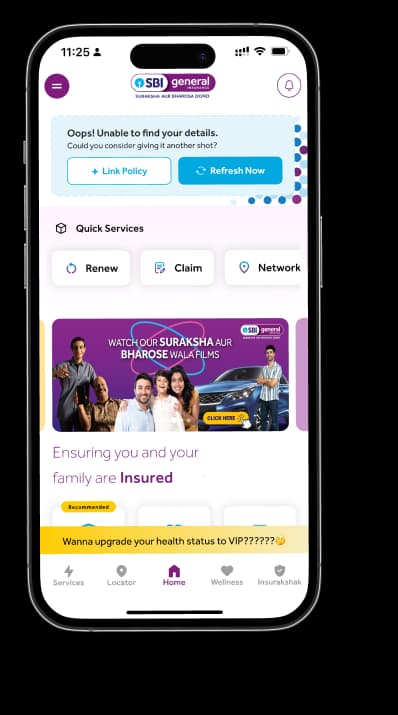
You can also check your car insurance policy’s status through the SBI General Insurance Mobile app.
What Details Can You View in a Car Insurance Policy Status Check?
When you perform a car insurance policy status check online, you gain access to a comprehensive digital record of your coverage. This process is essential if you’re wondering how to check car insurance validity before a long journey or a police inspection. Here is a list of all the details typically displayed during the check:
- Policy number and insurer name
- Vehicle registration number, make, and model
- Type of policy (third party or comprehensive) and key add ons
- Policy start (effective) and expiry dates
- Current status: Active / Expired / To be renewed
- Sum insured (IDV) and applicable No Claim Bonus (NCB)
- Insurance status on Parivahan/mParivahan: “Insurance current / not current” with expiry date and insurer
On insurer portals/apps: recent claim status and option to download policy documents.
By regularly conducting a car insurance validity check, owners can ensure they remain compliant with the Motor Vehicles Act. This can help avoid heavy penalties or legal complications during an accident claim. Here is a further breakdown of the most crucial information that you can get from this validity check:
Policy Number and Insurer Name
The most critical information retrieved during a car insurance policy status search is the Unique Policy Number and the name of the insurance provider. This data is vital for filing claims or renewing your plan. Knowing how to check car insurance validity allows you to confirm that the insurer listed in the RTO database matches your physical policy documents.
Vehicle Details Covered Under the Policy
A car insurance policy status check online also displays specific vehicle identifiers to ensure the coverage matches the automobile. This includes the registration number, engine number, and chassis number. Running a car insurance validity check confirms these details are correctly linked to your insurance, preventing discrepancies that could lead to the rejection of a future claim.
What to Do If Your Car Insurance Policy Has Expired?
If you check your car insurance policy status for your vehicle and find it has lapsed, avoid driving the vehicle immediately. An expired policy means you have no financial protection against third-party liabilities or damage to your own car. You should contact your insurer to initiate a car insurance validity check for renewal. Most insurers may require a physical inspection of the vehicle if the policy has expired for more than 90 days before granting a new cover.
Conclusion
Checking car insurance status online is not only a luxury that is accessible to all through the digitisation of information, but also a necessity to ensure compliance with guidelines and have a financial safety net.
If you are thinking about getting new car insurance online or changing your vehicle insurance, consider SBI General Insurance for its varied offerings. With comprehensive coverage, solid customer support, and a hassle-free claims process, you can enjoy a smooth and peaceful ride on the road.
FAQs
1. Can I check car insurance status using a vehicle number?
Yes, use the Parivahan portal or VAHAN with your registration number.
2. How do I know if my car insurance is active?
Perform a car insurance policy status check online to view current validity.
3. Can I check car insurance status on the VAHAN portal?
Yes, log in to VAHAN NR Services to see insurance expiry dates.
4. What details can I see in a car insurance status check?
You can see the insurer name, policy number, and expiry date.
5. Is it possible to check car insurance without a policy number?
Yes, you only need the vehicle registration and chassis number online.
6. Are there any benefits to checking car insurance status online?
You can easily access the insurance policy details of the other vehicle in case you are involved in an unfortunate accident. This can help you make a legitimate claim for your damages without much hassle.
7. Can I download my insurance policy documents?
Yes, you can go to your insurance provider’s official website and download the policy. You can check your insurance status online using your vehicle registration number only.
8. Where can I find my car insurance policy number online?
You can use your car’s registration number and mobile number to check your insurance policy details on the mParivahan mobile app, Parivahan Sewa portal, etc. The steps to find your insurance details are explained above.
This blog is intended solely for educational and informational purposes. Content reflects data at time of publication and may not accurately reflect current premiums, terms, or regulations. Readers are encouraged to confirm the accuracy and relevance of the data before making any significant decisions. SBI General Insurance disclaims responsibility for any errors or consequences arising from the use of outdated information provided herein. For more details, please refer to the policy wordings and prospectus before concluding the sales. *Add-ons are subject to payment of additional premium.
Access and manage all your Insurance Needs in one place, right at your Fingertips.



4/5*
Access and manage all your Insurance Needs in one place, right at your Fingertips.


Vision
Our vision is to become the most trusted general insurer for a transforming India.
Mission
Our mission is to provide simple and innovative general insurance solutions, be responsive to our customers' needs and build a sustainable business for the future.
We're socially active!